
Minimaldatensatz (DDB)
Set up the input form
Setting up is done once by the administration, under Data model › Metadata standards, card Minimaldatensatz (MDS) 1.2. If you do not see the Data model menu, you do not have the rights for it. The film shows the steps on the demo collection.
Map concepts
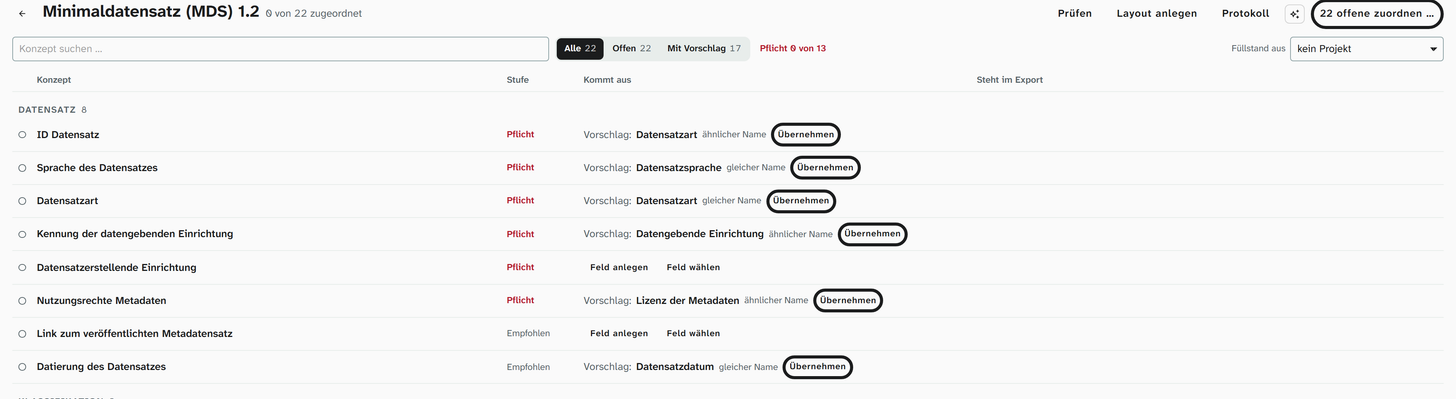
The card lists the 22 concepts of the Minimaldatensatz by its groups. If Moliri has found a field with the same or a similar name, it appears next to the concept as a suggestion.
-
One at a time. Apply binds the suggestion, Choose field another existing field, and Create field a new one. The filter With suggestion shows only concepts with a suggestion.
-
All in one go. Map 22 open … lists all open concepts, each with the suggested field or Create new. Set all switches every row at once, and you can change single rows afterwards. Create & bind carries it out.
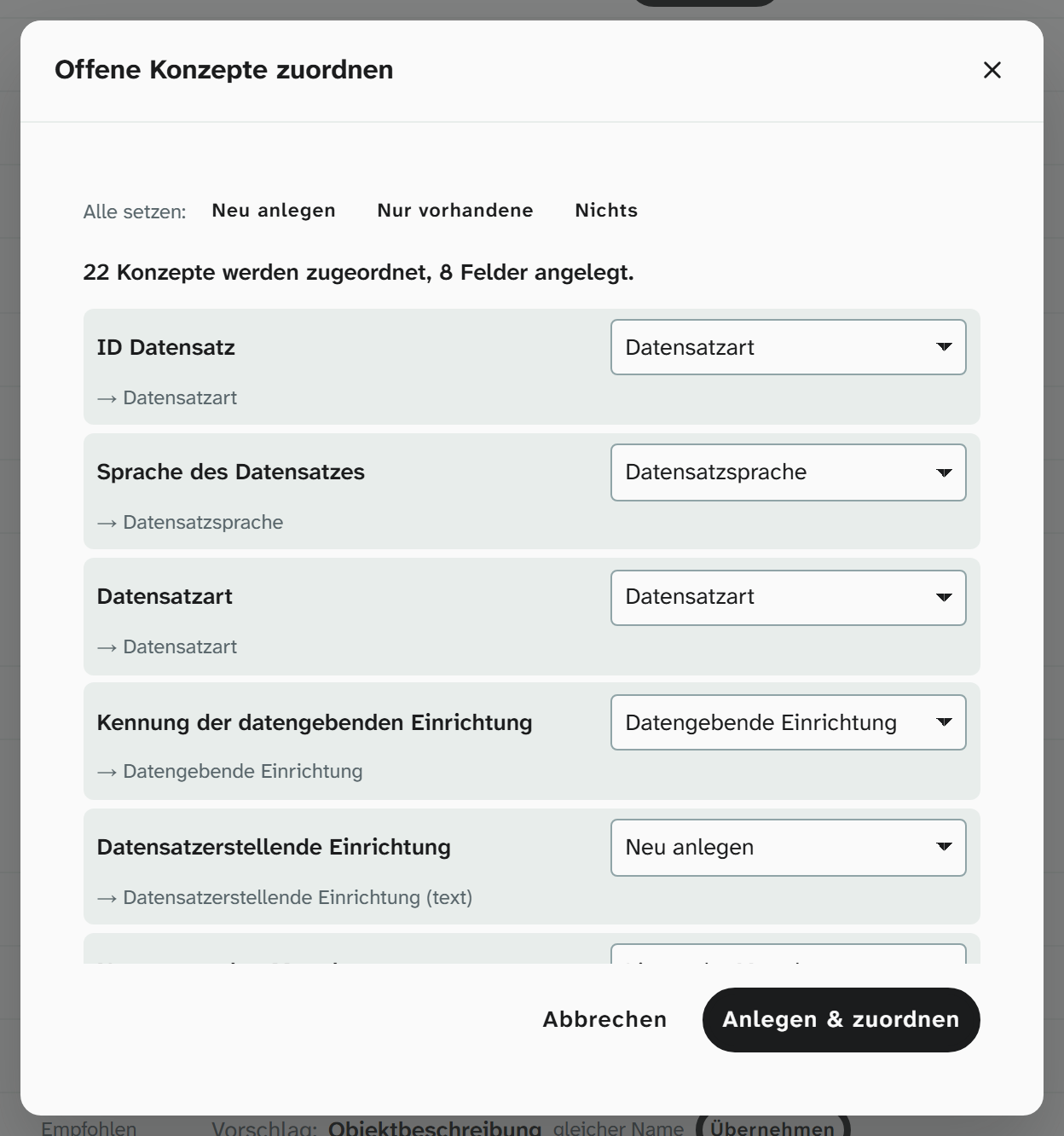
New fields get the field type that suits the concept: authority data field for terms with a URI, date field, number field. New authority data fields search the vocabularies that the recommendation names for the concept. For dimensions Moliri creates height, width, depth and weight as number fields with a unit, plus the field “Objektmaße (Anzeige)” (object dimensions, display) for the H × W × D statement. A text field on a term concept produces a valid file, but no URI.
A concept can come from several fields, such as the title from object title and alternative title: click the concept, Add source, Link an existing field. Details: Bind fields to concepts .
Set fixed values
Some information is the same on every object. Instead of a field, it gets a fixed value: click the concept, Add source, Fixed value.
| Concept | Typical fixed value |
|---|---|
| Holding institution, institution that created the record | Name of the institution |
| ID of the holding institution | The institution’s identifier as a URI, preferably the ISIL (https://ld.zdb-services.de/resource/organisations/DE-MUS-…), otherwise GND or Wikidata |
| Record language | de |
| Record type | A suitable term from the LIDO terminology |
| Metadata rights | The licence of the metadata, such as CC0 |
Mark mandatory information
Fields that Moliri creates for a mandatory concept carry the condition must not be empty. Moliri does not change existing fields on its own. If they lack the condition, a red exclamation mark appears next to Mandatory, and the opened concept says so. Set condition then sets not empty on the field; other conditions stay. If the concept comes from several fields, you pick one in a small menu, since the condition on one of them is enough. The link next to it, such as “Open Datensatzsprache”, leads to the field, for example to set a condition of your own.
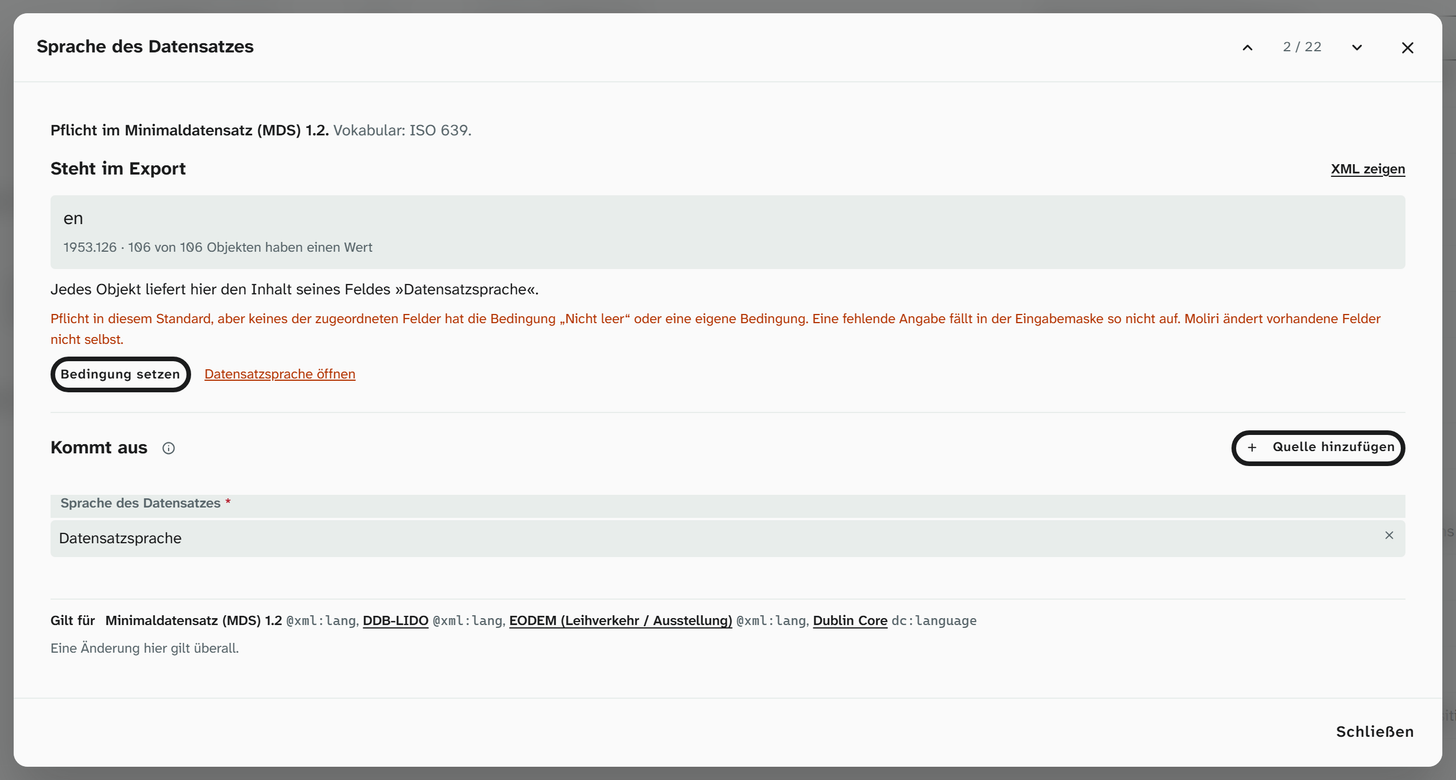
From then on the field is marked in every input form as long as it is empty (film ). For the inventory number it is worth adding unique in the database as well. Other conditions: Field conditions .
Create the input form
Create layout builds an input form with all mapped fields (film ). Each group of the Minimaldatensatz becomes a coloured area whose heading names the mandatory concepts; the field type determines the size of the tile. New projects get the form by themselves. In existing ones you switch it on under Projects, edit the project, tab Layouts.
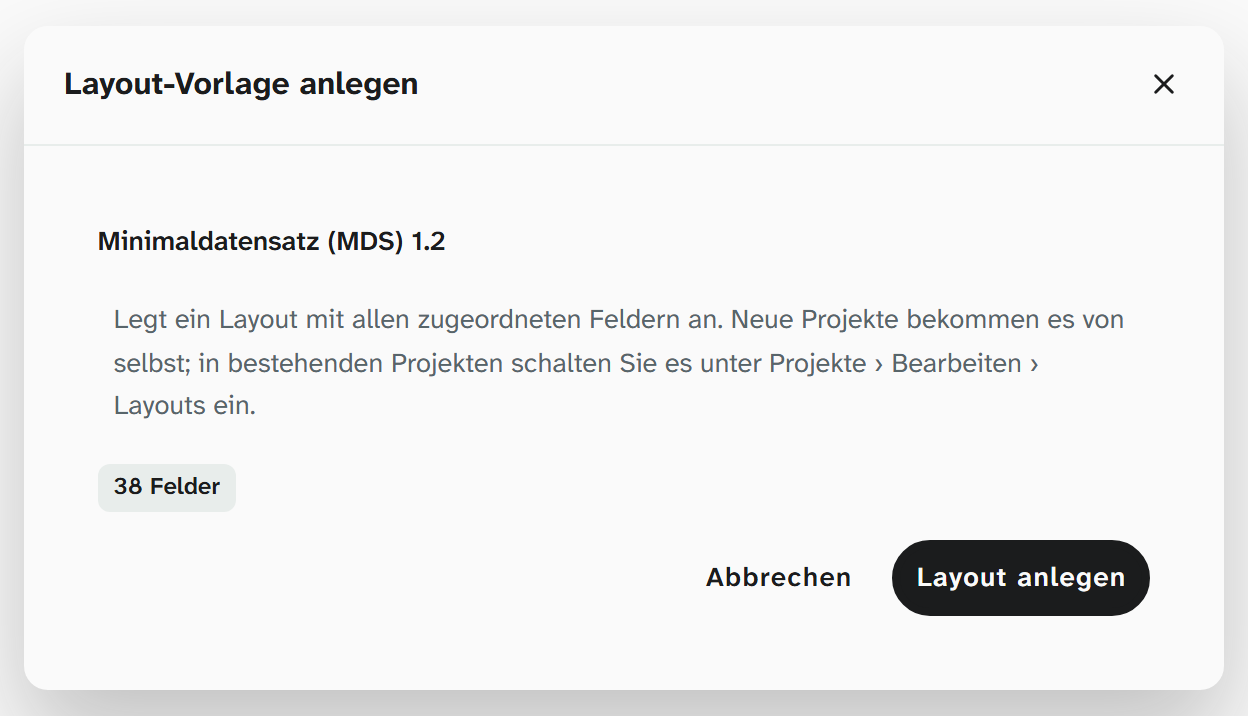
If you do not want a form of its own, place the fields in your existing forms in the layout editor . The export reads the fields, not the forms, so you can catalogue in any form.