
Minimaldatensatz (DDB)
Check and deliver
The export covers the objects in the current filter. The filter for the delivery, for example one for approved objects, is best saved as a view . The film shows the steps from the completeness check to the file.
-
Look at the completeness. In the sidebar, tab Check, Completeness for standard exports, profile Minimaldatensatz (MDS) 1.2. You can still close gaps here, see Find gaps .
-
Export. In the sidebar, Data In- & Export, Metadata standards, set Standard / profile to Minimaldatensatz (MDS) 1.2 (or DDB-LIDO for a more detailed delivery), then click Export. Moliri first checks the data and then validates the file against its schema. If both are in order, the download starts straight away, and the message gives the result of the schema validation.
-
Read the check report. Otherwise the check report appears: complete objects, errors and warnings per object (with a link) and the result of the schema validation. If only some objects lack information, Only complete (n) exports the rest. Export anyway exports all of them, including those with missing mandatory information.
-
Deliver the file. The file (
mds-1.2.xml) goes to the DDB as agreed with its specialist office. If you like, check it beforehand in the digiS validator; Moliri validates against the same XSD.
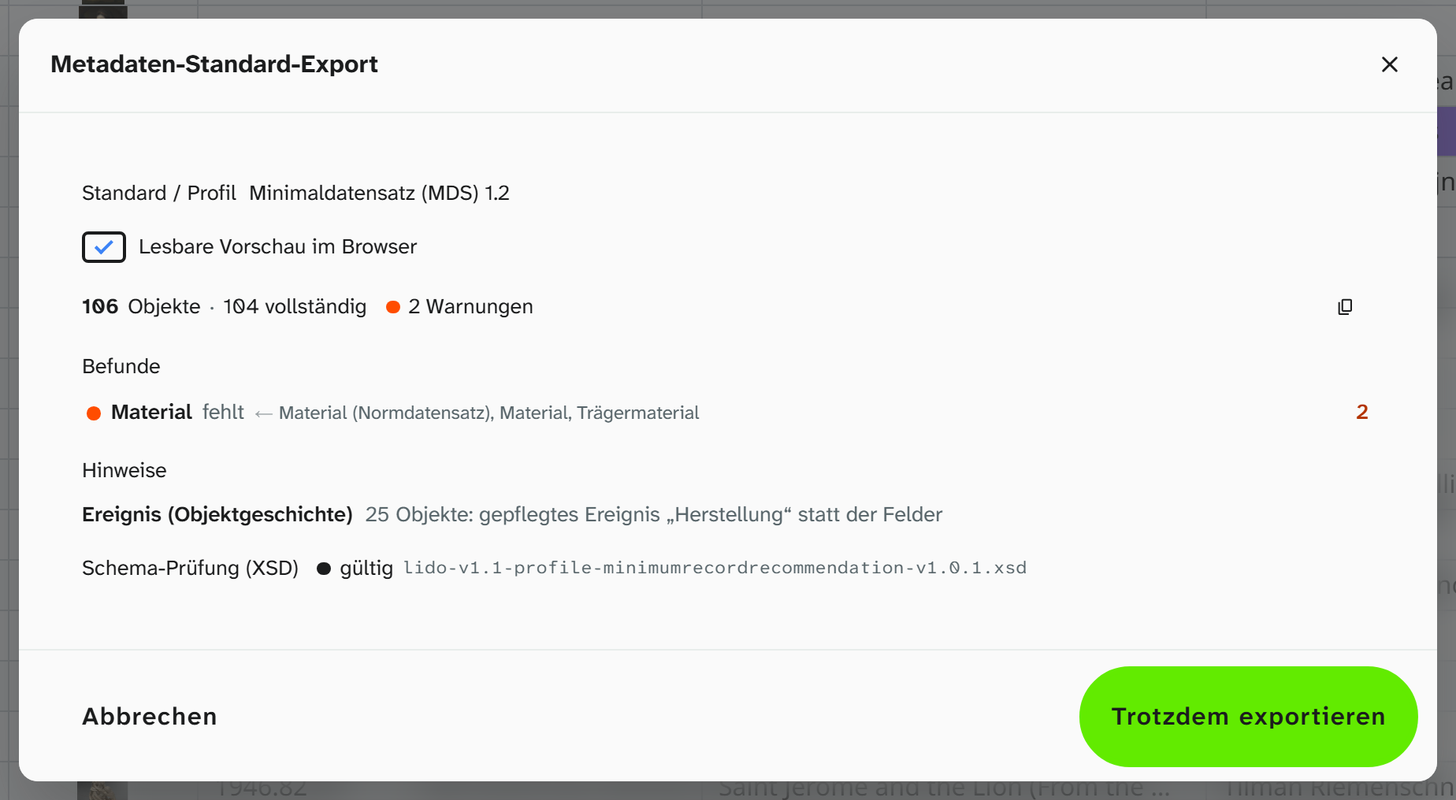
Both checks run in the browser, without an external validation service. The icon at the top right copies the check report to the clipboard. With Readable preview in the browser, the file opens as a readable page (example ).
The first delivery
Start with ten objects. Formal errors show up in the first run, and you then only have to correct them once.
- Map the mandatory concepts and set fixed values (Set up ).
- Close the gaps under Completeness.
- Export ten objects and go over the file with the DDB.
- Add the recommended information and deliver the whole collection.
Later deliveries
Open the saved view and repeat the export. New and completed objects are included as soon as they are in the filter; with Only complete, only those that lack no mandatory information.
Further reading
- Export LIDO : all profiles, including EODEM and Dublin Core