
Findings belong to the object, not to a separate file.
In Moliri, conservation, registration and documentation work on the same record as loans. Doubts are noted at the field, damage is marked at the exact spot in the image. The original file stays as it is.
We set up hotspot types such as your damage categories, and the input masks for conservation, together with you.
Note your doubts instead of guessing
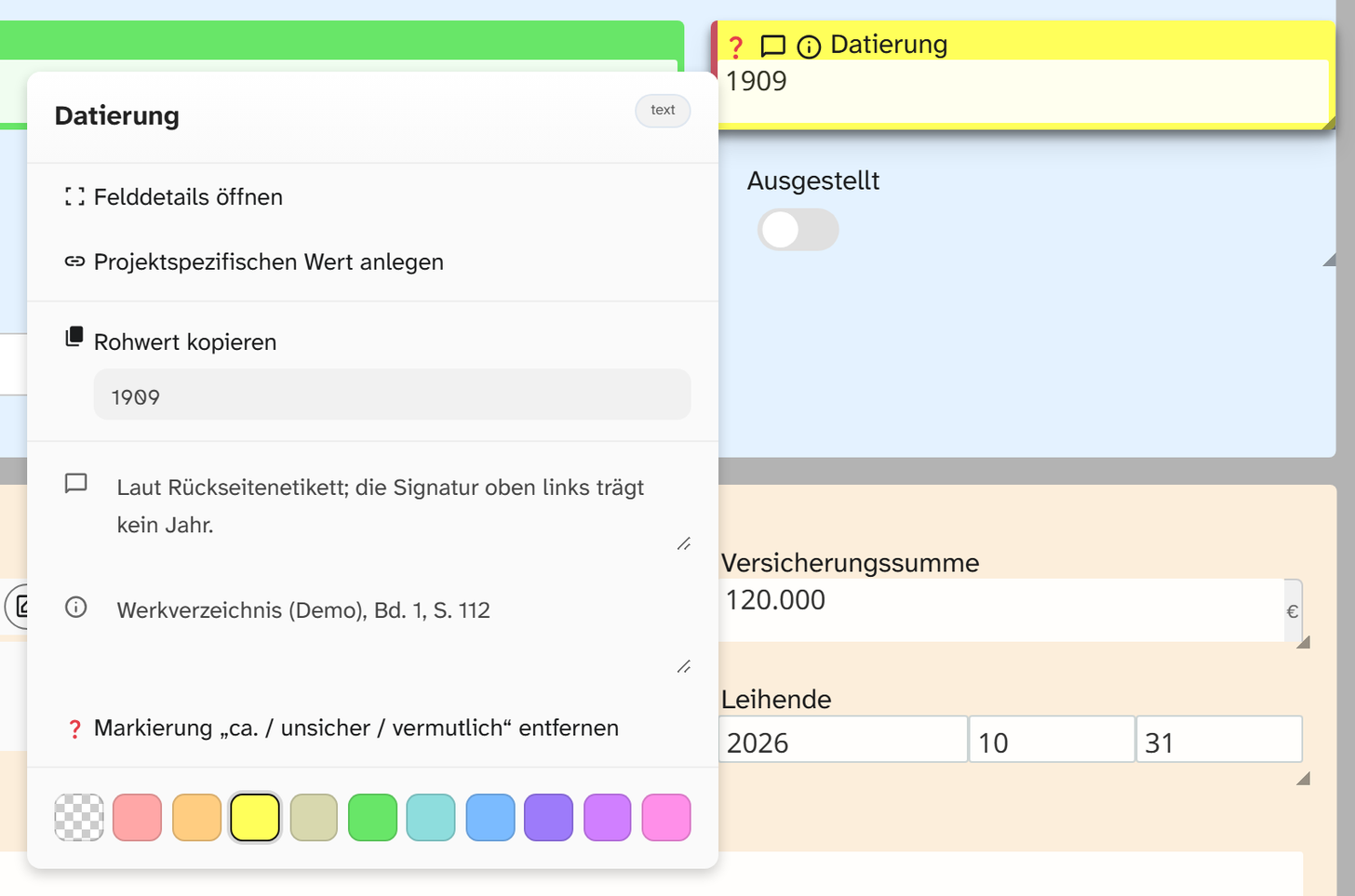
Every field can carry a comment, the source of a value and a colour. “Dimensions from the lender, not re-measured” then sits exactly where the dimensions are, and not in an email.
A presumed value is marked as “uncertain”. “1900, uncertain” can still be sorted and filtered, where “c. 1900” would make every search come up empty, and it appears as uncertain in the report.
In the handbook: Adding annotations
Findings at the exact spot in the image
A hotspot marks a spot in the object photo, such as a crack, and carries a description and a detail shot. Whoever opens the object later sees the finding where it is.
Your institution defines the hotspot types, such as your damage categories, once. A finding on the condition photo of a loan then means the same thing to everyone.
In the handbook: Placing hotspots
Mark and measure, the original stays
In the image studio you crop, rotate, mark and measure. One known edge in the image is enough to measure damage, even without a scale in the photo.
All edits lie as a layer over the original and can be undone at any time. The same photo can therefore carry the conservators' markings in the condition report and stay unedited as the title image.
In the handbook: Image studio
Before and after side by side
Two shots side by side, zoomed and moved together: the same detail on arrival and after return lies side by side, or before and after a conservation treatment. Changes stand out before anyone asks about them.
In the handbook: Comparing two images
Objects at true size on paper
From the image and the recorded dimensions, Moliri creates a PDF in which every object is shown to scale. You need this for passe-partouts and frame making, for trial hangings and installation. Moliri spreads large objects across several sheets, and a printed reference scale shows whether the printer has scaled correctly.
In the handbook: PDF to scale
3D models with dimensions
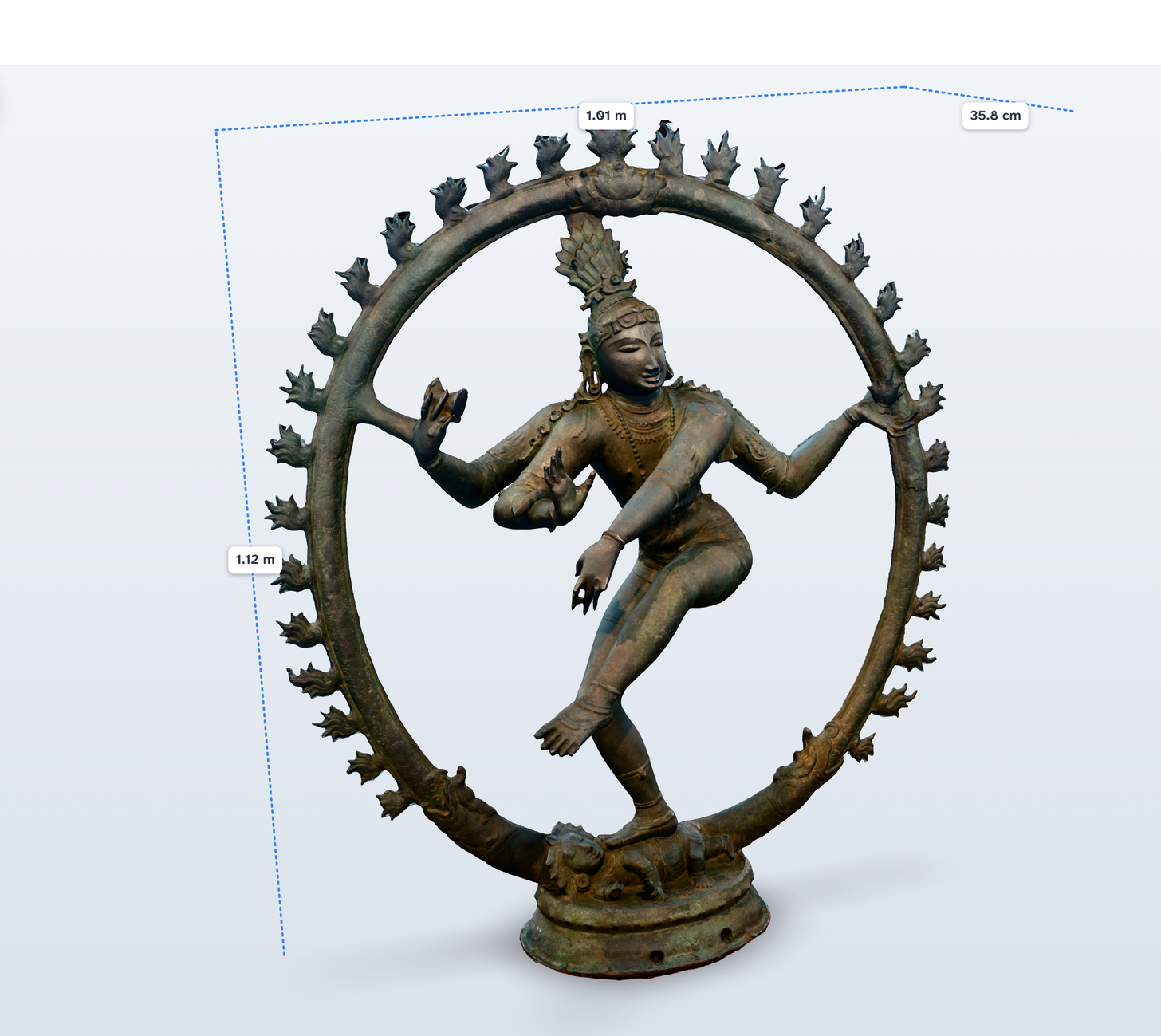
Moliri opens 3D scans in GLB, GLTF, OBJ or STL format directly in the browser, with dimensions shown, a measuring tool and notes on the model. The scan taken before transport sits on the same object as the one taken afterwards. In the wall planner, the model stands in the planned room.
In the handbook: 3D field
All features at a glance
- Objects
Find, organise, change
Read more - Data model
Catalogue the way your institution catalogues
Read more - Checks and data care
Keeping the data clean
Read more - Documentation and research
Documents as searchable text
Read more - Conservation
Findings belong to the object
This page - Files
One file library for all projects
Read more - Exhibitions and loans
From loan request to the finished wall
Read more - Standards and publication
Map once, deliver anywhere
Read more - Reports and export
From the database to the document
Read more - Setup and administration
Your institution carries the instance on
Read more
Bring a condition photo
An object photo your conservators are working on right now. In the demo we place findings using your damage categories, link a detail shot and print the object to scale.